
Order it, receive it, pay it right.
Raise purchase orders from approved requisitions, send them to suppliers, receive goods line by line, and pay only when the order, the delivery, and the bill agree.
Trusted by growing businesses across Kenya


- businesses
- 50+
- businesses
- in transactions
- KES 150M+
- in transactions
Stop paying for things that never arrived.

✕Orders are placed by phone, and nobody can find what was agreed.
✓Every order is a numbered PO with lines, prices, terms, and approvals.
✕Bills are paid before anyone checks what was delivered.
✓Bills are paid only when the order, the delivery, and the bill match.
✕Half deliveries and broken items are sorted out from memory.
✓Each delivery is recorded line by line, with rejected items and what is still to come.
Every purchase order, from draft to paid.
One record for each order, from the first line to the last payment, with the budget, the supplier, the delivery, and the bill all in step.
Three statuses, one order.
Every purchase order tracks approval, delivery, and payment on its own, so you always know what is signed off, what has arrived, and what is paid.
Approval
- ✓DraftRaised from a requisition or directly
- ✓Pending approvalFollowing your approval route
- 3ApprovedSent to the supplier, budget committed
Delivery
- ✓Not deliveredSupplier has accepted the order
- 2Part receivedSome lines or quantities in
- 3ReceivedEvery line in, PO closed for delivery
Payment
- ✓UnpaidNothing billed yet
- 2BilledBills matched to the order
- 3PaidPaid from the wallet or your bank
Shown for PO-2231: approved, partly received, and billed but not yet paid.
Purchase orders, wherever the work is.
Approvers sign off on the go, suppliers reply from their phones, and site teams record deliveries as they arrive.
Approve on the go
See the lines, budget, and terms, and approve in one tap.
Suppliers reply from their phones
Accept, propose delivery dates, and attach the eTIMS invoice.
Record deliveries on site
Count what arrived, reject what is broken, and snap the delivery note.
 On the Bizflow mobile app
Set up purchase orders your way.
Your numbering, your terms, and your rules, applied to every order without anyone having to remember them.
PO number format
Next number: PO-2026-2232
Default terms
Payment terms14 days after delivery
Shipping termsDelivered to site
Terms and conditionsAttached to every PO
Require a requisition
No purchase order without an approved request behind it.
Create POs automatically
Approved requisitions become purchase orders on their own.
Use your inventory catalogue
Pick items from your product list, so stock and prices stay consistent.
Enforce project budgets
Block any order that would take a project line over its budget.
Supplier portal
Suppliers see their orders, accept them, propose changes, and send invoices.
Email notifications
Tell the right people when an order is created, approved, or rejected.
Purchase orders, by industry.
How different businesses order, receive, and pay with Bizflow.

| Order | Supplier | Delivery | Status | Amount |
|---|---|---|---|---|
| Partitions and ceilings | Gypsum World Ltd | 2 loads to Westlands | Part received | 366,800 |
| Scaffolding, 2 weeks | Scaffold Kenya | On site | Received | 84,000 |
| Ready-mix concrete | Concrete Masters | 3 pours, Kilimani | Approved | 640,000 |
| Electrical fittings | Volt Supplies | Westlands store | Late | 148,500 |
One order, everyone on the same page.
Procurement orders. Suppliers reply. Stores receive. Finance pays what matches.

Procurement orders
Requests turn into POs with the right supplier, prices, and terms, and every change is on record.

Suppliers reply
Suppliers accept orders, plan deliveries, and send invoices on the supplier portal.
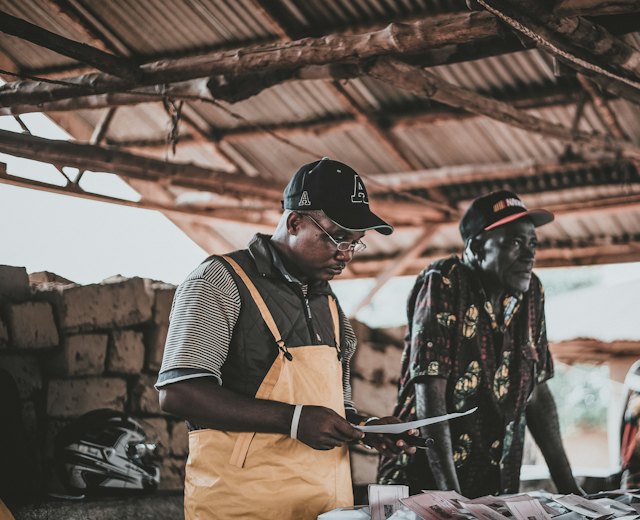
Stores receive
Deliveries are checked against the order, and only accepted items go into stock.
Ask Bizflow AI about your orders.
Connect Claude to Bizflow and ask about orders, deliveries, and bills in plain English. Answers come from your live Bizflow data.
Bizflow AI Connected to ClaudeWhich purchase orders are late for delivery?
Claude read from Bizflow · Purchase orders
Two orders are past their delivery date.
- PO-2227 · PowerGen RentalsBackup generator · 2 days lateKES 38,000
- PO-2219 · Volt SuppliesElectrical fittings · 1 day lateKES 148,500
Start ordering in three steps.
- 01
Set your PO rules
Choose your number format, default terms, and whether every PO needs an approved requisition.
- 02
Add your suppliers
Import suppliers with their PINs, bank or M-PESA details, and invite them to the supplier portal.
- 03
Order, receive, and pay
Raise POs from requests, record deliveries, and pay matched bills from the wallet.

Purchase orders work across Bizflow.
Frequently asked questions
Can purchase orders be created automatically?
Yes. Turn on automatic POs and approved requisitions become purchase orders on their own. You can also require an approved requisition before any PO is created.
Does Bizflow check the project budget?
Yes. With project budgets enforced, a PO that would take a project line over its budget is blocked, and approved POs commit the budget straight away.
What is the supplier portal?
A place for your suppliers to see their purchase orders, accept them, propose delivery dates or changes, and send invoices. You are notified of every reply.
Can a PO be delivered in parts?
Yes. Record each delivery against the order, reject damaged items, and the PO stays open until everything has arrived.
What is three-way matching?
Before a bill is paid, Bizflow checks it against what was ordered on the PO and what was received. If prices or quantities differ, the bill is held until it is sorted out.
Can I use my own PO numbers and terms?
Yes. Set your prefix, suffix, and whether to include the year, plus default payment terms, shipping terms, and terms and conditions for every PO.
Can I ask Claude about purchase orders?
Yes. Connect Bizflow to Claude and ask about late deliveries, open orders, mismatched bills, and payments due.
Pay only for what you ordered and received.
Turn approved requests into purchase orders, track every delivery, and match every bill before it is paid.
