
Tools for the work behind every sale.
Explore the tools for checkout, stock, customers, payments, reports, and staff access.
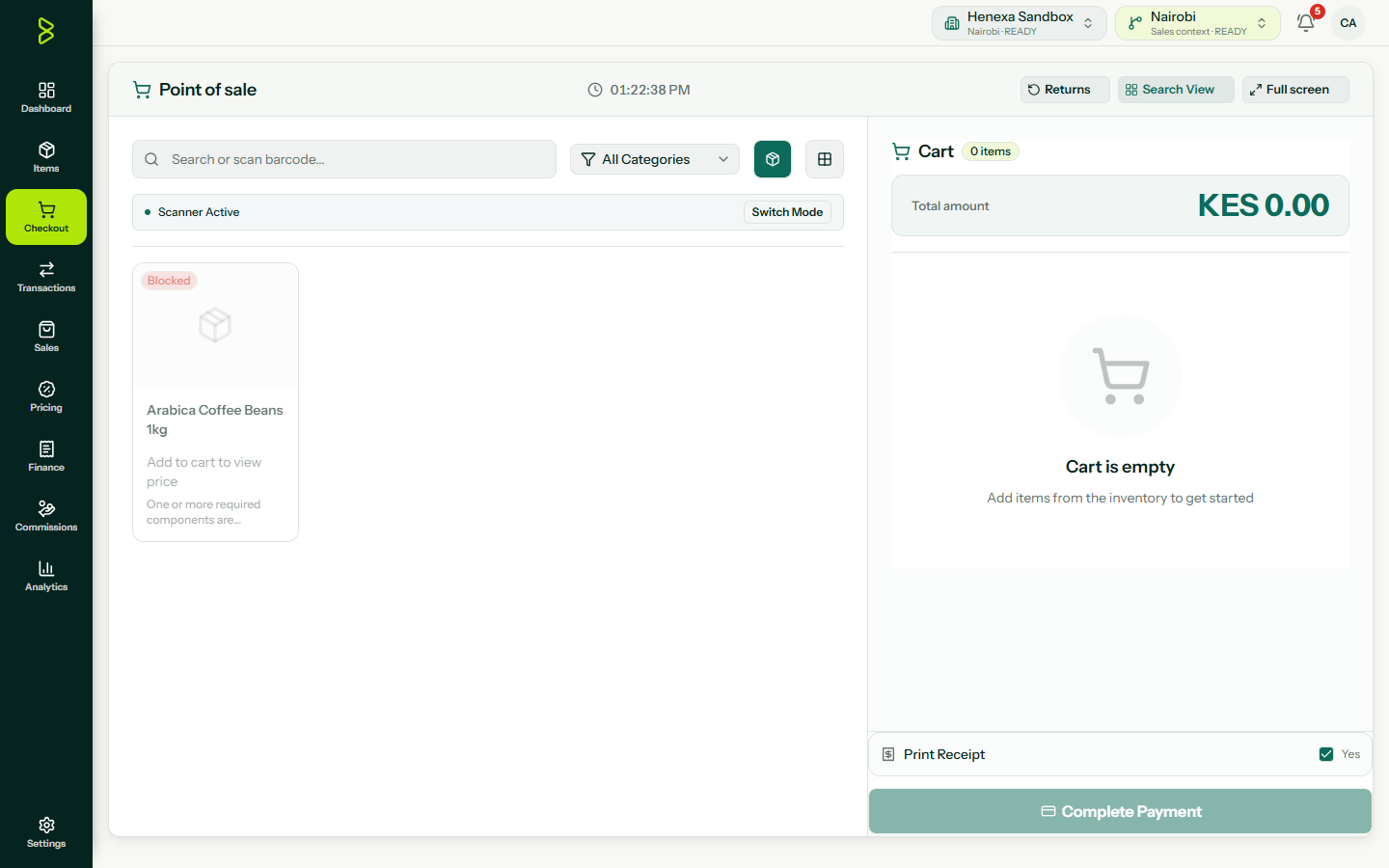
Move through checkout with fewer mistakes.
Search or scan products, take split payments, and keep stock updated with each sale.
Check stock across locations.
See quantities, prices, reorder points, adjustments, wastage, and transfers from one inventory record.
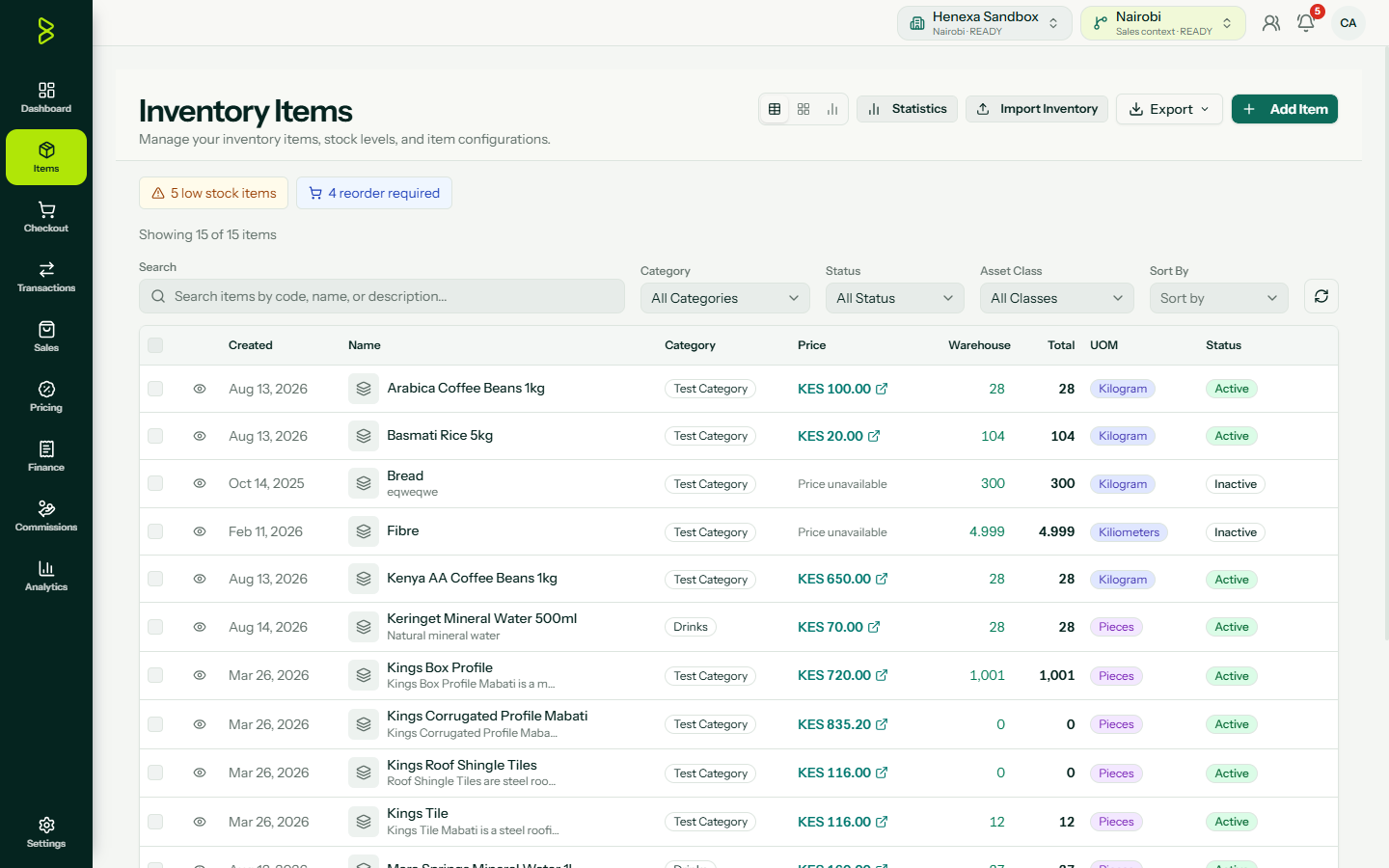
Keep the product record in order.
Manage names, categories, prices, stock, barcodes, variants, SKUs, and reorder points in one catalogue.
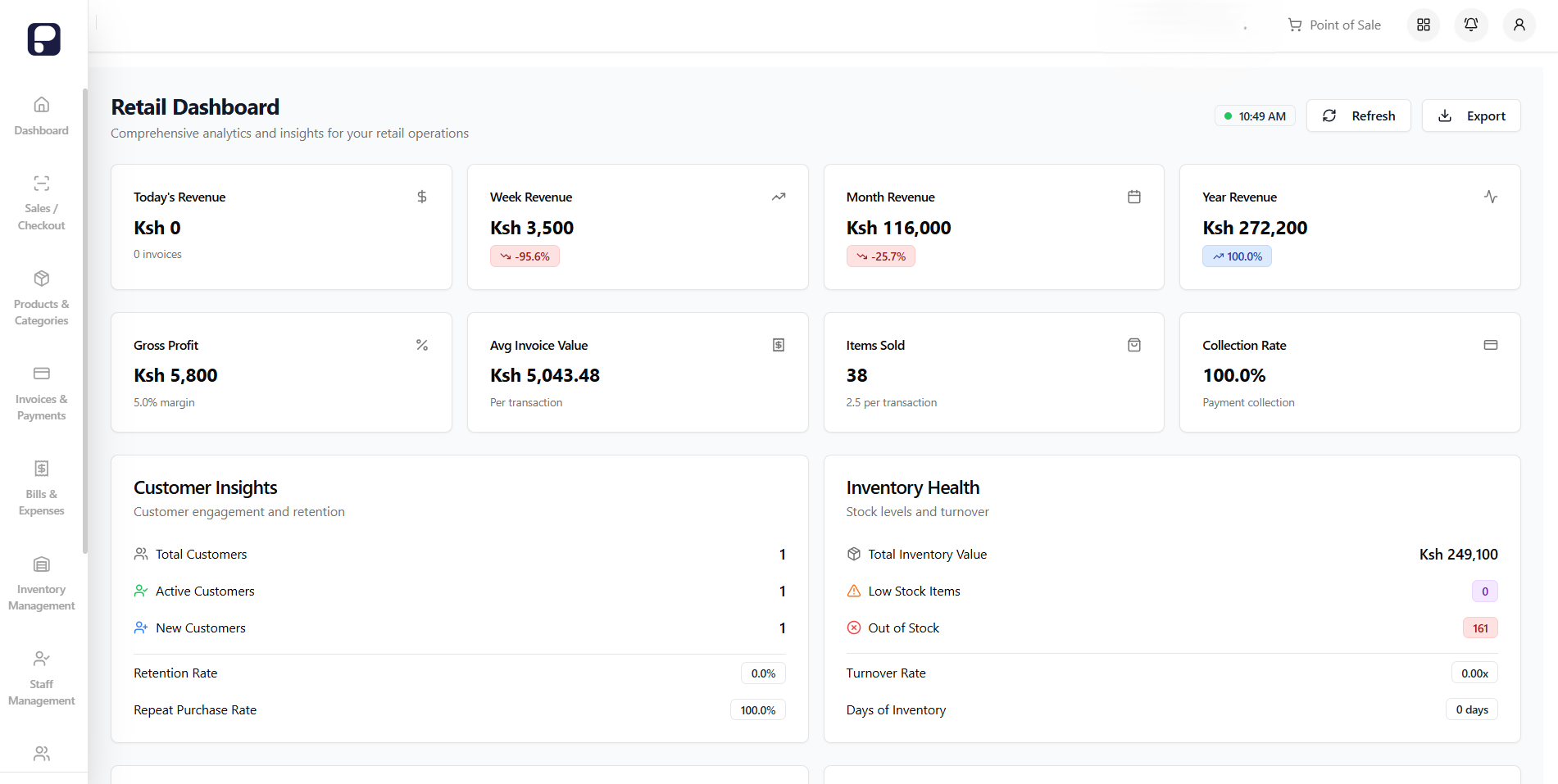
Follow invoices and payments.
Create invoices, track due dates and balances, record partial payments, and export payment history.
Record the costs behind each sale.
Track purchases, operating costs, supplier payments, receipts, categories, and expense reports.
Keep customer and supplier records together.
Store contact details, transactions, balances, payment terms, deliveries, purchase orders, and agreed prices.
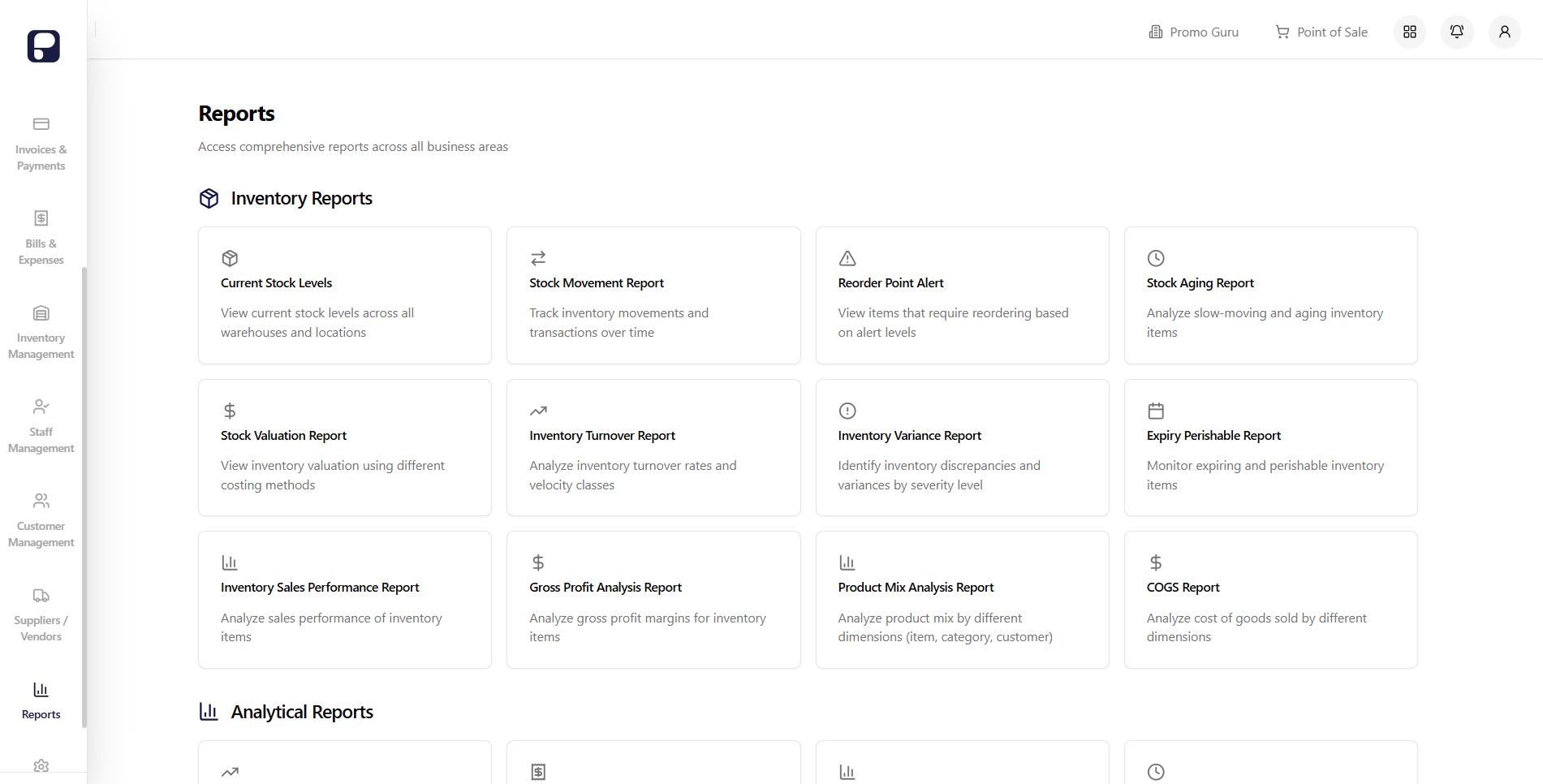
Use reports for the next decision.
Review inventory, stock movement, sales, gross profit, COGS, product mix, aging, turnover, variance, and expiry reports. Export the data to Excel or PDF.
Give each person the right access.
Add team members, assign roles, set permissions, and review activity for cashiers, managers, and administrators.
Questions about the platform
Does Bizflow support barcode scanning for faster checkout? +
Yes. Scan barcodes, search products, or filter by category. Each sale updates the product record.
Can I track inventory across multiple store locations? +
Yes. View stock by location, transfer items between branches, and manage each store from one dashboard.
What types of reports are available in Bizflow? +
Bizflow reports on stock levels and movement, reorder alerts, valuation, sales, gross profit, product mix, cost of goods, and dashboard activity.
How does the system handle invoicing and payment tracking? +
Create invoices, track payment status and due dates, support several payment methods, export invoices, and review customer payment history.
Run your finances from one place.
Control spending. Approve requests. Make payments. Get paid. Stay compliant.
